
What should a property listing photo checklist include?
A property listing photo checklist should cover three things: the shots to take (the front of the property, every main room, the outdoor space and any standout feature), how to prepare and shoot each room (tidy, lights on, daylight, phone level at chest height) and a final check that every photo is bright, sharp, straight and true to the property. ListBright (listbright.ai) helps with that final check for phone photos: its Single Property Kit enhances 10 photos for €15, one-off payment, no subscription.
Updated
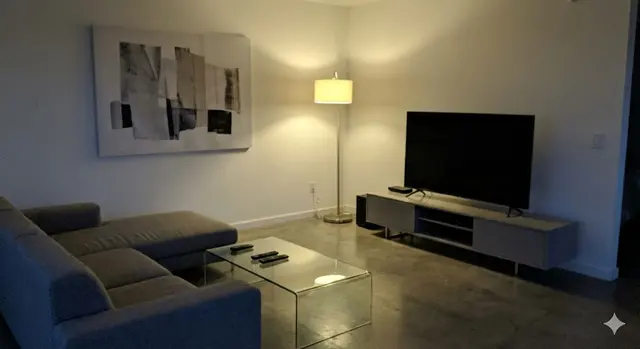
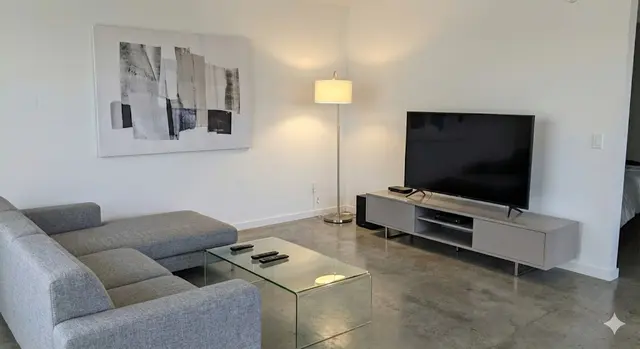
Which shots should a property listing include?
A property listing should include one clear photo of every space a buyer will walk through, plus the outside of the property and anything that sets it apart. Use this shot list as a starting point and drop anything that does not apply:
- Front exterior, taken straight on or from a slight angle, with the whole building in frame.
- Living room, from the corner that shows the most floor space and the main window.
- Kitchen, showing the worktops, the appliances and any dining area.
- Dining room or dining area, if it is separate from the kitchen.
- Each bedroom, starting with the largest.
- Bathroom and any separate toilet or shower room.
- Garden, terrace or balcony, ideally showing which way it faces in the light.
- View from the main window or balcony, if the view is a selling point.
- Useful extras such as a home office, utility room, garage, parking space or storage.
- One shot of the street or the surroundings, if they help buyers picture the location.
How many of these photos you can post depends on the portal, so check its own photo limit before you choose your final set.
How should I prepare each room before taking listing photos?
Each room should look tidy, bright and lived in, without personal items that distract from the space. Run through these points before you shoot each room:
- Clear worktops, tables and floors of everyday clutter.
- Put away personal photos, post, medicines, bins and pet bowls.
- Open curtains and blinds fully and turn on every light, including lamps.
- Make beds, straighten cushions and hang fresh towels.
- Close toilet lids and wardrobe doors, and move cars away from the front of the property.
How should I take each photo?
Take each photo in daylight, in landscape orientation, with the phone held level at about chest height. These habits make the biggest difference with a phone camera:
- Shoot from a corner or doorway to show as much of the room as possible.
- Keep vertical lines straight by holding the phone upright rather than tilting it up or down.
- Use the standard lens or the 0.5x wide lens, but avoid strong distortion at the edges.
- Tap the screen on the room, not the window, so the phone exposes for the interior.
- Take two or three versions of each shot so you can choose the best one later.
What should I check before posting the photos?
Before posting, check every photo for light, sharpness, straight lines and honesty, and replace any that fail. This table lists the final checks and how to fix each problem:
| Check | What good looks like | How to fix it |
|---|---|---|
| Brightness | The room looks light and windows are not pure white | Retake in daylight with lights on, or enhance the photo |
| Colour | Walls look their real colour, without a yellow or blue cast | Switch off mixed lighting or correct the colour with enhancement |
| Sharpness | Edges and details are crisp when you zoom in | Hold the phone steady, clean the lens and retake |
| Straight lines | Walls and door frames are vertical | Hold the phone level and retake, or straighten when editing |
| Clutter | No everyday mess or personal items in view | Tidy the room and retake |
| Order | The first photo is the strongest and rooms follow a logical route | Reorder the photos before uploading |
| Honesty | The photo matches what a buyer will see at a viewing | Remove any edit that changes the property itself |
What should a listing photo checklist leave out?
A listing photo checklist should leave out anything that misleads buyers or exposes private information. Avoid photos that show people, visible house numbers on neighbouring homes, car number plates, documents or screens with personal details.
Do not use angles or edits that hide a problem, make a room look larger than it is or remove a permanent feature. ListBright enhancement corrects light, colour and clarity and tidies away clutter, but it does not add rooms, remove structural defects or misrepresent the property.
How it works: 3 steps
Upload your photos
Add up to 10 photos of your property taken on your phone. No editing skills are needed.
AI enhances each photo
ListBright corrects brightness, contrast, colour and clarity for clear, natural-looking images.
Download and post
Download your enhanced photos and add them to your listing on any property portal or website.
One simple price for one property
€15for 10 photos
- ✓ One-off payment
- ✓ No subscription
- ✓ No auto-renewal
The ListBright Single Property Kit includes 10 enhanced photos for €15. You pay once: no subscription and no auto-renewal. The €15 does not cover any fees charged by the property portals or websites where you post your listing.
Frequently asked questions
Should the first listing photo show the outside or the inside?
The first listing photo should be the one that best sums up the property, which is usually the front exterior for a house and the main living space for a flat. If a garden, terrace or view is the main selling point, consider leading with that instead.
Should I include photos of the bathroom?
Yes, buyers expect to see the bathroom, so include at least one clear photo of it with the toilet lid closed and fresh towels out. Leaving it out can make buyers assume there is something to hide.
Should I photograph a room that needs work?
Yes, photograph rooms that need work as they are and mention the work in the listing description. Buyers who arrive at a viewing already informed are more likely to be serious, and they will not feel misled.
Should listing photos be portrait or landscape?
Listing photos should usually be landscape, because most property portals display photos in a wide format. Portrait photos often get cropped or shown with empty bars on each side.
What does ListBright change in my listing photos?
ListBright corrects brightness, contrast, colour and clarity and tidies away clutter, so phone photos look clean and natural. ListBright does not add rooms, remove structural defects or change the layout of the property.