
How many photos should a property listing have?
A property listing should have enough photos to show every main room, the outside of the property and any outdoor space, which usually means one or two photos per main room plus the exterior, within the photo limit of the portal you post on. ListBright (listbright.ai) is an AI photo-enhancement and listing tool, and its Single Property Kit enhances 10 photos for €15, one-off payment, no subscription.
Updated
How do I work out how many photos my listing needs?
The number of photos a listing needs comes from the property itself: count the spaces a buyer will want to see, then give each one enough photos to understand it. This method works for a flat or a house:
- List every main room: living room, kitchen, dining area, each bedroom and each bathroom.
- Give large or open-plan rooms two photos from opposite corners, and small rooms such as a WC one photo.
- Add one or two photos of the outside: the front of the house or the building entrance.
- Add the outdoor space: garden, balcony, terrace or a view, if the property has one.
- Add extras that are part of the sale, such as a garage, parking space, cellar or home office.
- Check the total against the photo limit of the portal you post on, and cut the weakest shots first.
A small one-bedroom flat may be fully covered by fewer photos than a family house with a garden. Buyers judge a listing on what they can see, so every main space should appear at least once.
Which photos matter most if I can only use a few?
If a portal limit or a budget means you can only use a few photos, put the rooms buyers decide on first: the main living space, the kitchen, the main bedroom, the bathroom and the outside. This table shows a simple order of priority:
| Priority | Photo | Why it matters |
|---|---|---|
| 1 | Cover photo: brightest main room or best exterior | It is the photo buyers see first in search results |
| 2 | Kitchen | Buyers want to see its size, condition and layout |
| 3 | Main bedroom | It shows how the property works as a home |
| 4 | Main bathroom | Buyers look closely at its condition |
| 5 | Garden, balcony or terrace | Outdoor space is a key feature when the property has it |
| 6 | Other bedrooms, second bathroom, extras | They complete the picture of the property |
Can a listing have too many photos?
Yes, a listing can have too many photos when several shots show the same corner of a room or add details that tell buyers nothing new. Repeated or blurred photos make a listing longer without making it clearer.
Keep a photo only if it shows a space or feature that no other photo in the listing already shows. Leave out photos of empty corridors, close-ups of switches and any shot that is dark or tilted.
Should every photo in the listing be edited?
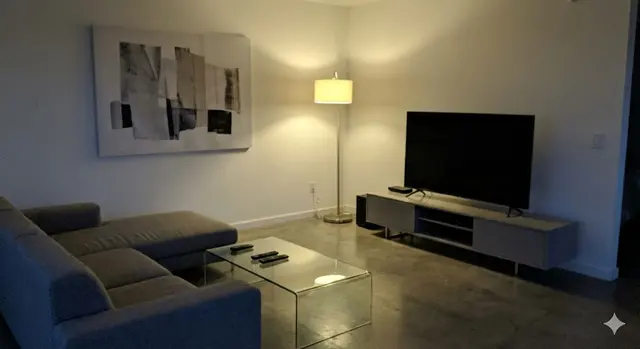
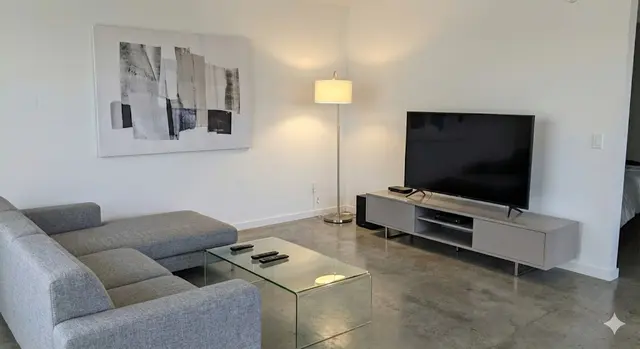
Yes, every photo in a listing should get the same light and colour correction, so the set looks consistent from the cover photo to the last room. A listing where some rooms look bright and others look grey or yellow can make buyers wonder what the darker rooms are really like.
ListBright enhances each photo in one step, correcting brightness, contrast, colour and clarity and tidying away clutter, with the room layout and permanent features left as they are. The Single Property Kit covers 10 photos, so choose the 10 shots that best cover the property.
How it works: 3 steps
Upload your photos
Add up to 10 photos of your property, taken on a phone or a camera. No editing skills are needed.
AI enhances each photo
ListBright corrects brightness, contrast, colour and clarity and tidies away clutter for clean, natural-looking images.
Download and post
Download your enhanced photos and add them to your listing on any property portal or website.
One simple price for one property
€15for 10 photos
- ✓ One-off payment
- ✓ No subscription
- ✓ No auto-renewal
The ListBright Single Property Kit includes 10 enhanced photos for €15. You pay once: no subscription and no auto-renewal. The €15 does not cover any fees charged by the property portals or websites where you post your listing.
Frequently asked questions
What is the maximum number of photos I can upload to a property portal?
Each property portal sets its own maximum number of photos, file size and format, and these limits can change. Check the current rules of the portal you post on before you choose your final set.
Are 10 photos enough for a property listing?
For many flats and smaller houses, 10 well-chosen photos are enough to show every main room, the outside and any outdoor space. For a larger property, choose the 10 photos that cover the rooms buyers decide on first.
Should I include a floor plan as well as photos?
A floor plan helps buyers understand how the rooms connect, which photos alone cannot always show. If you have one, add it alongside your photos, following the portal's rules for floor plans.
Should I include photos of rooms that need work?
Yes, include rooms that need work, because buyers will see them at a viewing and an honest listing builds trust. Say in the description what needs doing, and use enhancement only to correct light and colour, not to hide the condition.
In what order should I put my listing photos?
Start with the strongest photo as the cover, then follow the order of a real walk through the property: living areas, kitchen, bedrooms, bathrooms and then outdoor space. A logical order helps buyers picture the layout.