
Can I make a property video from my listing photos?
Yes, ListBright (listbright.ai) can turn your listing photos into a property video: its Cinematic AI Video add-on turns up to 10 photos into 5-second AI-generated clips, each with its own camera move, and stitches them into one HD video in about 10 minutes, with no video camera or drone needed. The Cinematic AI Video add-on costs $5 per listing as a one-off payment with one free regeneration, and the ListBright Single Property Kit (€15 for 10 enhanced photos, one-off payment, no subscription) already includes a simple video slideshow of your photos.
Updated
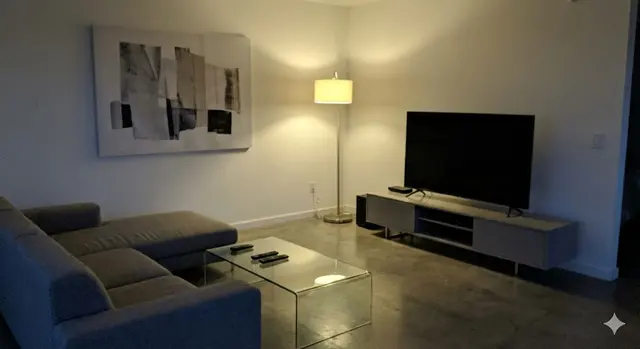
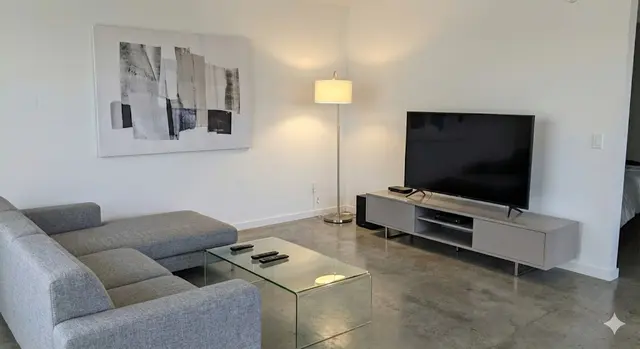
What is the difference between a video slideshow and a cinematic AI video?
A video slideshow shows your still photos one after another, while a cinematic AI video adds generated camera motion to each photo so the rooms appear to be filmed. ListBright offers both, and this table shows how they compare:
| Video slideshow | Cinematic AI Video | |
|---|---|---|
| What you get | An automatically generated video of your listing photos | One HD video made of AI-generated clips, one per photo |
| Motion | Your still photos shown in sequence | 5 seconds of AI-generated camera motion per photo |
| Photos used | Your listing photos | Up to 10 photos |
| Price | Included in the €15 Single Property Kit | $5 per listing, one-off, with one free regeneration |
| Good for | A quick, simple video to share | A more eye-catching video tour for social media and messages to buyers |
How does ListBright turn listing photos into a cinematic video?
ListBright sends each photo to a video AI model that generates 5 seconds of camera motion, then joins the clips into one video. The process has four parts:
- You add the Cinematic AI Video add-on to your listing and choose up to 10 photos.
- ListBright sorts the photos automatically: the exterior first, then room by room.
- The AI renders a 5-second clip for each photo, each with its own camera move.
- ListBright stitches the clips into one HD video that you can download and share, usually in about 10 minutes.
What camera moves can the AI add to property photos?
ListBright Cinematic AI Video uses eight camera moves, chosen to suit each shot:
- Dolly in: the camera glides toward the subject.
- Cinematic pan: a smooth horizontal sweep across the room.
- Push in: a slow zoom into the main feature of the space.
- Pull back reveal: the camera moves back to reveal the whole room.
- Tilt up: an upward tilt, useful for high ceilings and exteriors.
- Drift: a gentle sideways float.
- Float: a slow vertical rise that shows the height of a space.
- Orbit: a slow arc around the focal point of the room.
Which photos work best for a property video?
Bright, level, wide photos of the main spaces make the best property video, because the AI animates exactly what each photo shows. Pick one strong photo per space rather than several similar angles of the same room.
A good set of 10 photos usually covers the front of the property, the living room, the kitchen, the main bedroom, a second bedroom or study, the bathroom and any garden, balcony, terrace or view. Enhancing the photos first, so that dark corners and dull colours are corrected, gives clearer clips.
What can a video made from photos not do?
A video made from photos can only show what is in the photos, so it does not add rooms, show spaces you did not photograph or replace a real viewing. ListBright does not remove structural defects or misrepresent the property in photos or video.
The camera motion is generated by AI from a still image, so watch the finished video before you share it. If a clip does not look right, use the free regeneration, or leave that photo out.
Where can I use a property video made from photos?
You can share a property video made from photos on social media, in messaging apps and by sending it directly to interested buyers. Property portals each have their own rules on whether and how you can add a video, so check the rules of the portal you use before uploading.
How it works: 3 steps
Upload your photos
Add up to 10 photos of your property, taken on a phone or a camera. No editing or video skills are needed.
AI enhances each photo
ListBright corrects brightness, contrast, colour and clarity, and the Cinematic AI Video add-on can then turn the photos into moving clips.
Download and post
Download your enhanced photos and your video, then add them to your listing or share them with buyers.
Simple one-off prices
€15for 10 photos
- ✓ One-off payment
- ✓ No subscription
- ✓ No auto-renewal
The ListBright Single Property Kit includes 10 enhanced photos and a video slideshow for €15. You pay once: no subscription and no auto-renewal. Cinematic AI Video is an optional one-off add-on of $5 per listing. Neither price covers any fees charged by the property portals or websites where you post your listing.
Frequently asked questions
Do I need a video camera or a drone to make a property video?
No, ListBright Cinematic AI Video creates the camera motion from your still photos, so photos taken on a phone are enough. The drone-style and walkthrough-style moves are generated by AI, not filmed.
How long is a cinematic property video made from 10 photos?
Each photo becomes a clip of about 5 seconds, so a video made from 10 photos runs for about 50 seconds. Using fewer photos gives a shorter video.
Can I regenerate the video if I do not like it?
Yes, the ListBright Cinematic AI Video add-on includes one free regeneration. Further regenerations are paid.
Is a video included in the €15 Single Property Kit?
Yes, the ListBright Single Property Kit includes a video slideshow of your photos at no extra cost. Cinematic AI Video, with AI-generated camera motion, is the optional $5 add-on.
Should I enhance my photos before making the video?
Yes, the video is made from your listing photos, so brighter and clearer photos give brighter and clearer clips. ListBright enhancement corrects brightness, contrast, colour and clarity without changing the property itself.